---
title: How to Create Google Business Profile Posts That Win Customers
description: Learning to post on your Business Profile is critical to see search results, driving directions, and in-store visits. Get tips here.
image: https://dbaplatform.com/hubfs/proposal-2.png
---

GOOGLE BUSINESS PROFILE (GMB)

# How to Create Google Business Profile Posts That Win Customers

Learning to post on your Business Profile is critical to see search results, driving directions, and in-store visits. Get tips here.

[ Debbie Fontaine ](https://dbaplatform.com/blog/author/debbie-dbaplatform)

 Oct 14, 2022

[BEST PRACTICES](https://dbaplatform.com/blog/tag/best-practices) [GOOGLE BUSINESS PROFILE (GMB)](https://dbaplatform.com/blog/tag/google-business-profile-gmb)

### Share this article

<http://www.facebook.com/share.php?u=https://dbaplatform.com/blog/how-to-create-google-business-profile-posts-that-win-customers&utm_medium=social&utm_source=facebook> <http://www.linkedin.com/shareArticle?mini=true&url=https://dbaplatform.com/blog/how-to-create-google-business-profile-posts-that-win-customers&utm_medium=social&utm_source=linkedin> <https://twitter.com/intent/tweet?original_referer=https://dbaplatform.com/blog/how-to-create-google-business-profile-posts-that-win-customers&utm_medium=social&utm_source=twitter&url=https://dbaplatform.com/blog/how-to-create-google-business-profile-posts-that-win-customers&utm_medium=social&utm_source=twitter&source=tweetbutton&text=> [mailto:?subject=Check%20out%20https://dbaplatform.com/blog/how-to-create-google-business-profile-posts-that-win-customers&utm_medium=social&utm_source=email%20&body=Check%20out%20https://dbaplatform.com/blog/how-to-create-google-business-profile-posts-that-win-customers&utm_medium=social&utm_source=email](mailto:?subject=Check%20out%20https://dbaplatform.com/blog/how-to-create-google-business-profile-posts-that-win-customers&utm_medium=social&utm_source=email%20&body=Check%20out%20https://dbaplatform.com/blog/how-to-create-google-business-profile-posts-that-win-customers&utm_medium=social&utm_source=email)

#### [Visit dbaPlatform](https://dbaplatform.com)

### Subscribe

![](https://dbaplatform.com/hubfs/proposal-2.png)

[Management](https://dbaplatform.com/management/)

Your Business Profile for Google Search and Maps, formerly known as Google My Business (GMB) is the best way to engage with local customers. First, set up and optimize your Business Profile. Your profile should inform potential customers about your business, operating hours, and how they can contact you. Other critical information includes your address, website, and even customer reviews.

Business Profile posts for Google are short, simple updates that help you connect with potential customers online. Unlike other social platforms, your Business Profile for Google is used to communicate with customers who are already searching for you or businesses like yours. 

Here are some quick tips to posting to your Business Profile. 

## **How To Post To Google Business Listings**

### **1. Get Familiar with the Business Profile Posts Policy**

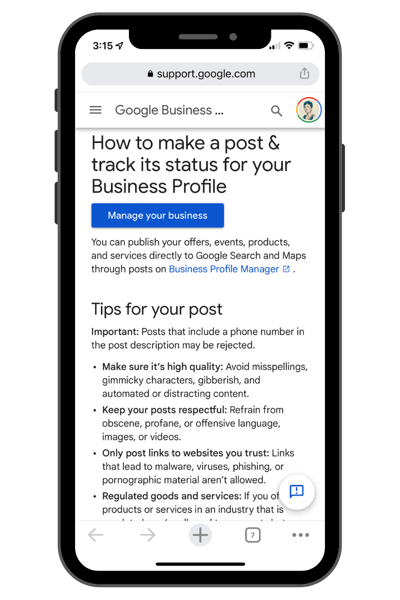
Creating Business Profile posts on Google is easy enough. Still, there are a few things you need to know before getting started.

- Posting every seven days is the recommended frequency mentioned in Google support articles.
- The first 80 characters show up in the Knowledge Panel, so make sure you front load your important keywords.
- Only the first two to three posts will show up on the search engine results pages (SERPs).

![Image of a screen shot of the Google website where they show the google post guidelines for GMB](https://dbaplatform.com/hs-fs/hubfs/Imported_Blog_Media/dbaPlatform-Google-Guidelines-How-to-Post-to-GMB-3.png?width=400&height=600&name=dbaPlatform-Google-Guidelines-How-to-Post-to-GMB-3.png)

### **2. Creating Business Profile Posts on Google**

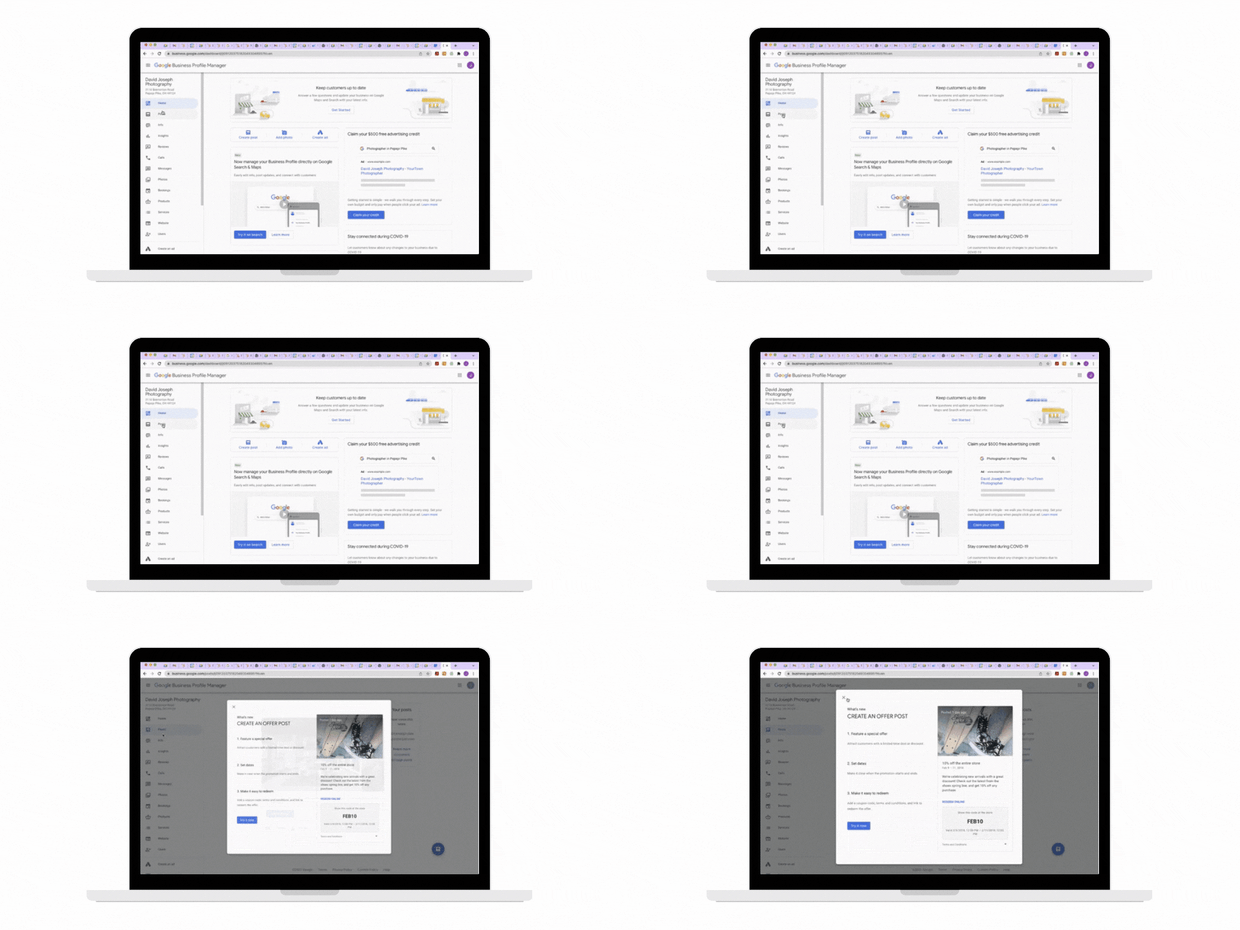
To create a post, all you have to do is log into your Business Profile dashboard and create your post. There are a variety of posts you can make, including:

- Covid-19 updates – It’s a new feature that allows you to communicate to customers about changes to your business due to Covid-19 and what precautions you’ve taken.
- What’s New – Announcements and general information about your business.
- Events – Live or online events happening. Event posts stay live until the event is over.
- Offers – Inform customers about discounts, promotions, or sales.
- Products – You can feature one or more products in your products tab.

![A gif on a computer of someone posting to Google my business](https://dbaplatform.com/hs-fs/hubfs/Imported_Blog_Media/dbaPlatform-Post-a-new-post-google-business-Profile-3-3.gif?width=620&height=512&name=dbaPlatform-Post-a-new-post-google-business-Profile-3-3.gif)

### **3. How to create incredible posts every time**

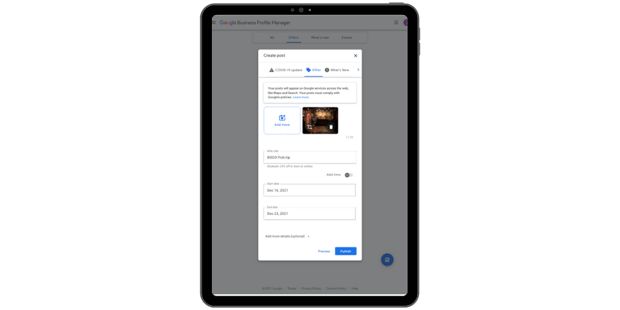
Your post should have an image, text, and a clear call to action.

Think of your Business Profile as an organic way to advertise on Google Search and Maps. Keep descriptions short and sweet and write actionable headlines. Always include professional-grade photos, ideally with an image size of 1,200 x 900 pixels. Google offers various call-to-action buttons, the most popular being: Learn More, Order Online, and Buy Now.

Visit here for more details about [different kinds of Business Profile posts.](https://dbaplatform.com/how-to-use-google-posts-in-google-business-profiles/)

![creating a Google post using the Google Profile Manager](https://dbaplatform.com/hs-fs/hubfs/Imported_Blog_Media/dbaPlatform-Google-Guidelines-How-to-Post-to-GMB-Making-great-titles-3.png?width=620&height=512&name=dbaPlatform-Google-Guidelines-How-to-Post-to-GMB-Making-great-titles-3.png)

### **4. Publish your posts, and don’t forget to check on your analytics**

Before publishing your post, click Preview to see how your post will look. Keep in mind that posts look different on desktop and mobile devices. Make sure you fine-tune your posts and confirm the image you uploaded wasn’t cropped incorrectly. Then you can go ahead and hit Publish.

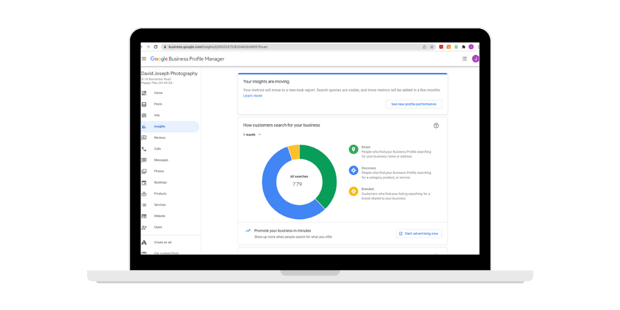
Also, always check how your posts perform to see what posts resonate best with your customers.

![Insights report from the Google Profile Manager](https://dbaplatform.com/hs-fs/hubfs/Imported_Blog_Media/dbaPlatform-Google-Guidelines-How-to-Post-to-GMB-Checking-Analytics-3.png?width=620&height=512&name=dbaPlatform-Google-Guidelines-How-to-Post-to-GMB-Checking-Analytics-3.png)

## **Managing your Business Profile using dbaPlatform**

A Business Profile on Google can work wonders for your Local SEO. It’s something every business should strive to optimize so it can lead to more calls, website visits, and sales.

![local seo windows](https://dbaplatform.com/hs-fs/hubfs/Imported_Blog_Media/post-scheduler-HERO-GRAPHIC-3.png?width=620&height=559&name=post-scheduler-HERO-GRAPHIC-3.png)

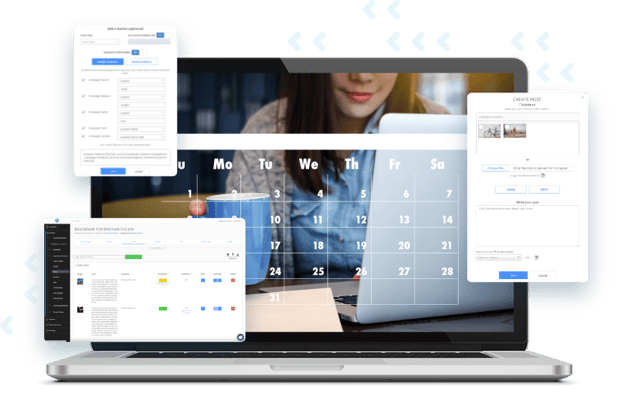
Large businesses need the assistance of a platform like dbaPlatform in order to efficiently manage their Business Profile at scale. Use dbaPlatform to automate your Business Profile posts and make your job easier. You can plan your posts a day, week, or month ahead of time, manage Business Profile postings across all of your locations, and integrate location-specific information to improve your Google rankings.

dbaPlatform is a vital tool for businesses looking to optimize and manage at scale their Business Profiles for Google on Search and Maps and post high-quality posts. [Contact us today to discuss managing your local presence at scale >>>>](https://dbaplatform.com/contact/)

## Similar posts

<https://dbaplatform.com/blog/expanding-the-google-my-business-knowledge-panel-with-great-content>

GOOGLE BUSINESS PROFILE (GMB)

### [Expanding the Google Business Profile Knowledge Panel With Great Content](https://dbaplatform.com/blog/expanding-the-google-my-business-knowledge-panel-with-great-content)

For many searchers, there is almost no reason to visit a company’s website. All the information they are seeking is summarized in the GMB knowledge...

 Debbie Fontaine  Oct 14, 2022

<https://dbaplatform.com/blog/how-to-set-up-a-google-business-profile-for-your-ev-charging-station>

GOOGLE BUSINESS PROFILE (GMB)

### [How to set up a Google Business Profile for your EV charging station](https://dbaplatform.com/blog/how-to-set-up-a-google-business-profile-for-your-ev-charging-station)

Learn how to set up a Google Business Profile for your EV charging station and boost your visibility on Google Maps and Search. Increase customer...

 Kellie Henson  Oct 19, 2023

<https://dbaplatform.com/blog/smart-shopping-campaigns-upgrading-to-performance-max>

LOCAL INVENTORY PRODUCT ADS

### [Remaining Vehicle Ads campaigns are upgrading to Performance Max starting September 2023](https://dbaplatform.com/blog/smart-shopping-campaigns-upgrading-to-performance-max)

Have you received an email from Google about the September Performance Max upgrade and are unsure what to do? Are you wondering– what is this, what’s...

 Justin Dombrow  Jul 28, 2023

### Join Our Newsletter

Stay ahead of the competition and receive cutting-edge, comprehensive news straight to your inbox.

[![Learn More](https://no-cache.hubspot.com/cta/default/19797105/d6f0ea5a-6069-4f7e-a7c1-68af68b2ecbc.png)](https://cta-redirect.hubspot.com/cta/redirect/19797105/d6f0ea5a-6069-4f7e-a7c1-68af68b2ecbc) 

```json
{
  "@context" : "https://schema.org",
  "@type" : "BlogPosting",
  "author" : {
    "@type" : "Person",
    "name" : "Debbie Fontaine",
    "url" : "https://dbaplatform.com/blog/author/debbie-dbaplatform"
  },
  "dateModified" : "2023-10-20T19:49:07.230Z",
  "datePublished" : "2022-10-14T06:12:50.000Z",
  "headline" : "How to Create Google Business Profile Posts That Win Customers",
  "image" : [ "https://dbaplatform.com/hubfs/proposal-2.png" ],
  "mainEntityOfPage" : {
    "@id" : "https://dbaplatform.com/blog/how-to-create-google-business-profile-posts-that-win-customers",
    "@type" : "WebPage"
  },
  "publisher" : {
    "@type" : "Organization",
    "logo" : {
      "@type" : "ImageObject",
      "url" : "https://dbaplatform.com/hubfs/dba%20logo%20no%20padding.png"
    },
    "name" : "dbaPlatform"
  }
}
```